Scheduling & sign-ups
Appointment booking
Offer the times you’re free and let each person book one, with full times closing on their own.
Last updated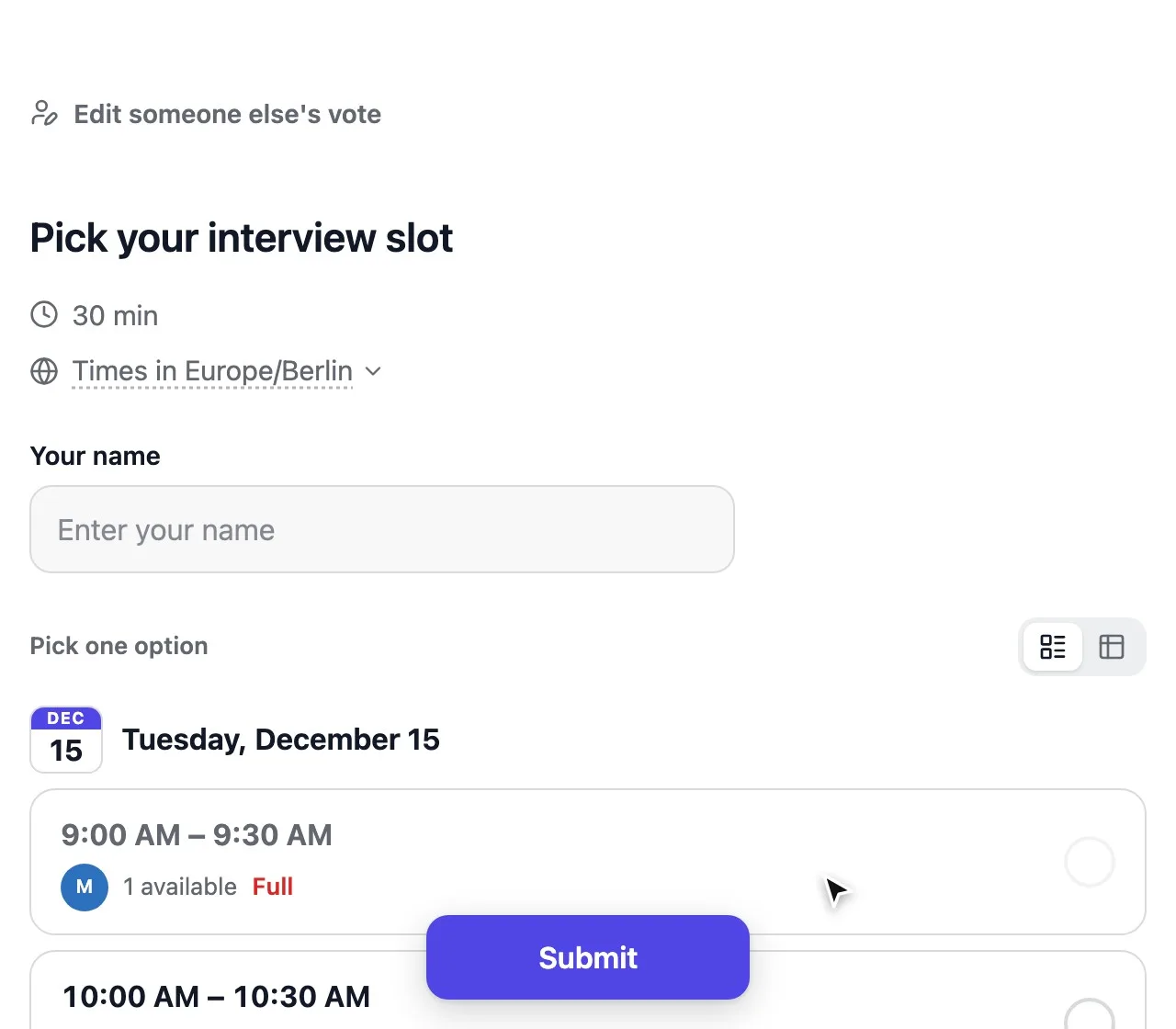
An appointment booking question offers the times you’re free, and each person books one. Once a time is full, nobody else can take it.
When to use it
- Interviews: “Pick a time for your 30-minute interview.”
- Office hours and consultations: “Book a slot to talk about your project.”
- Parent-teacher conferences: “Choose a time to meet your child’s teacher.”
- Anything with a fixed number of places per time, like a tour for groups of six.
To find one time that suits a whole group, use a Meeting poll. For an open list where people add their own details, use a Sign-up sheet.
Set it up
- In the editor, click Add content and choose Appointment booking.
- Choose a Duration: 30 minutes by default, from 15 minutes up to 2 hours, All day, or Custom to give each time its own start and end.
- Pick the days in the calendar, then add the times with Add a time. Use these times on every day copies a day’s times to all the others.
- Next to each time, max sets how many people can book it.
- Choose the settings next to the question.
Edit as text takes all times at once, one per line: 2026-11-03 09:00-09:30.
When the poll is just this question, people give their name to book, and only you see who booked which time. Voters still see which times are full.
People per time
How many people can book each time, 1 by default. Leave it empty for no limit.
Set it higher for groups, like 6 for a tour. You can change a single time next to it in the editor. Once a time is full, nobody else can book it.
Hide booked times
On by default. Voters only see the times still free, so the list stays short and nobody picks a time that’s gone. Turn it off to show the full times too.
Calendar feed
Shown once the poll is saved. Get calendar link gives you a link for Google Calendar, Outlook or Apple Calendar, and every booking shows up there as an event with the name of who booked it.
Calendar apps check for new bookings on their own schedule, Google Calendar every few hours. Anyone with the link sees the bookings, so keep it to yourself. Reset link stops the old link.
Results
Who booked which time, and which times are still free. Only you see the names, unless you change who sees the results.
See also All question types at a glance and Choose who sees the results.